
תודה שהורדת את PDF Reader Pro עבור Windows
יש להוריד את PDF Reader Pro באופן אוטומטי. אם לא, אנא לחץ 64bit | 32bit כדי להוריד מחדש.
3 שלבים להתקנת PDF Reader Pro לאחר הורדתו
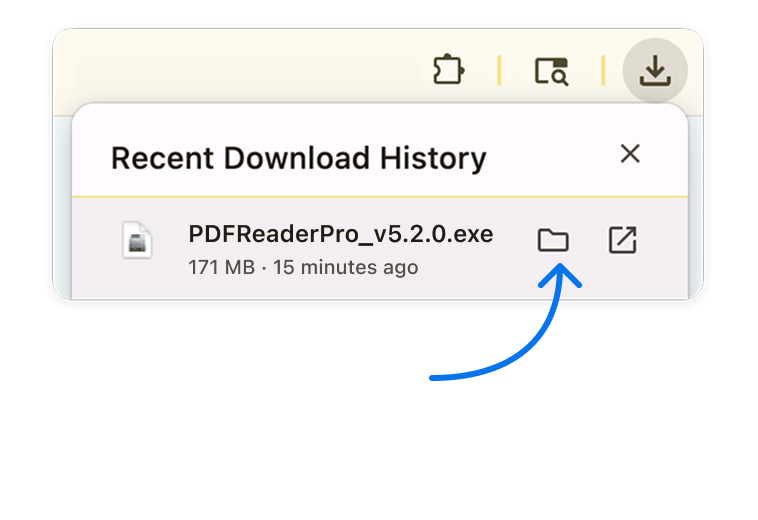
שלב 1פתח את המתקין
מצא את קובץ ה-.exe ברשימת ההורדות של הדפדפן שלך או לחץ על Ctrl + J כדי לאתר במהירות את הקובץ.
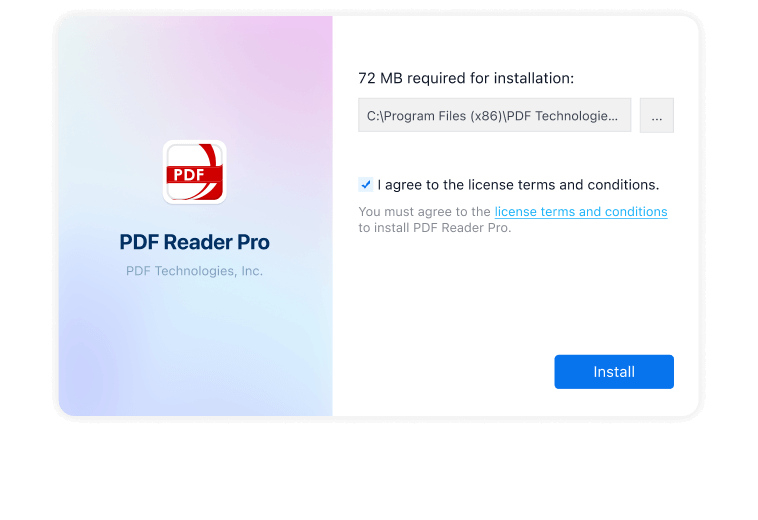
שלב 2הפעל והתקן
לחץ פעמיים על הקובץ כדי להפעיל את אשף ההתקנה. נְקִישָׁה "Install Now" ופעל לפי ההוראות שעל המסך. (לחץ על "Yes" אם המערכת מבקשת הרשאה).
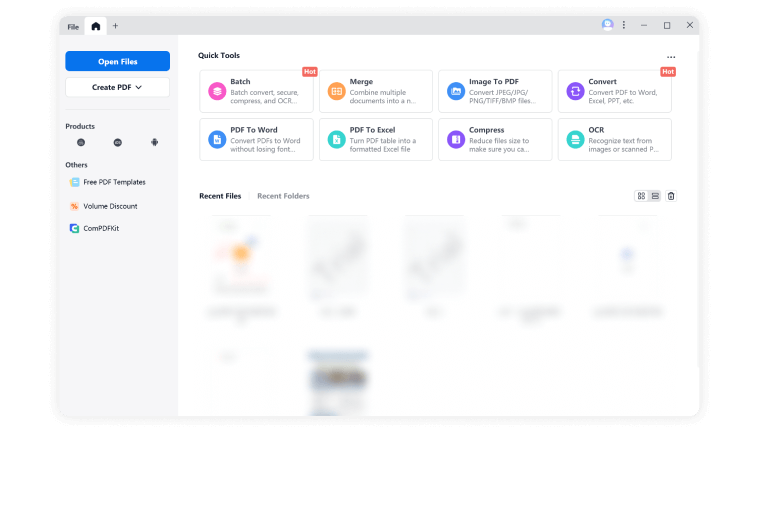
שלב 3התחל את תקופת הניסיון בחינם שלך
לאחר ההתקנה, הפעל את PDF Reader Pro כדי להתחיל את ניסיון חינם ל-7 ימים ולחקור את כל תכונות הפרימיום PDF!






שאלות נפוצות
1. Why the Installation Shows Error on Windows?
Microsoft Defender SmartScreen מגן מפני אתרי phishing או malware ואפליקציות, וכן מהורדת קבצים זדוניים פוטנציאליים. חל על Windows 10, Windows 11 ו-Microsoft Edge.
לחצו כדי ללמוד עוד פרטים על שגיאות התקנה.
2. האם התוכנה תואמת ל-Windows 11?
3. איך בודקים אם Windows שלי הוא 64-bit או 32-bit?
4. מה אם המערכת שלי לא תומכת בתוכנת 64-bit?