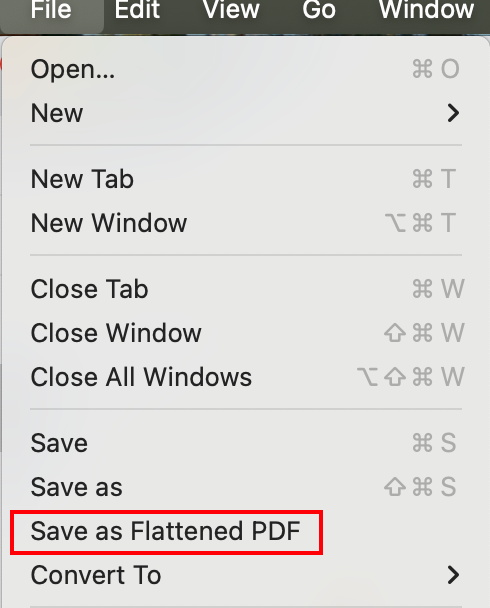
To keep all the changes in PDF file, save your file as Flattened Copy. Flattening is a process of applying all annotations, form data and markups to a PDF. No changes can be made to annotations or form data after flattening.
To save your documents as flattened copy, please click File on the main menu and choose to Save as Flattened PDF or click Share -> Flattened Copy and then save the annotated file as flattened PDF.