

Before you can create PDF files with PDF Reader Pro Printer, you may need to go into the Printer Properties to set various options. To view the settings for PDF Reader Pro Printer, you will need to open the dialogue box in one of three ways:
1) Inside PDF Reader Pro: In the Print  pop-up window, under the Name drop-down;
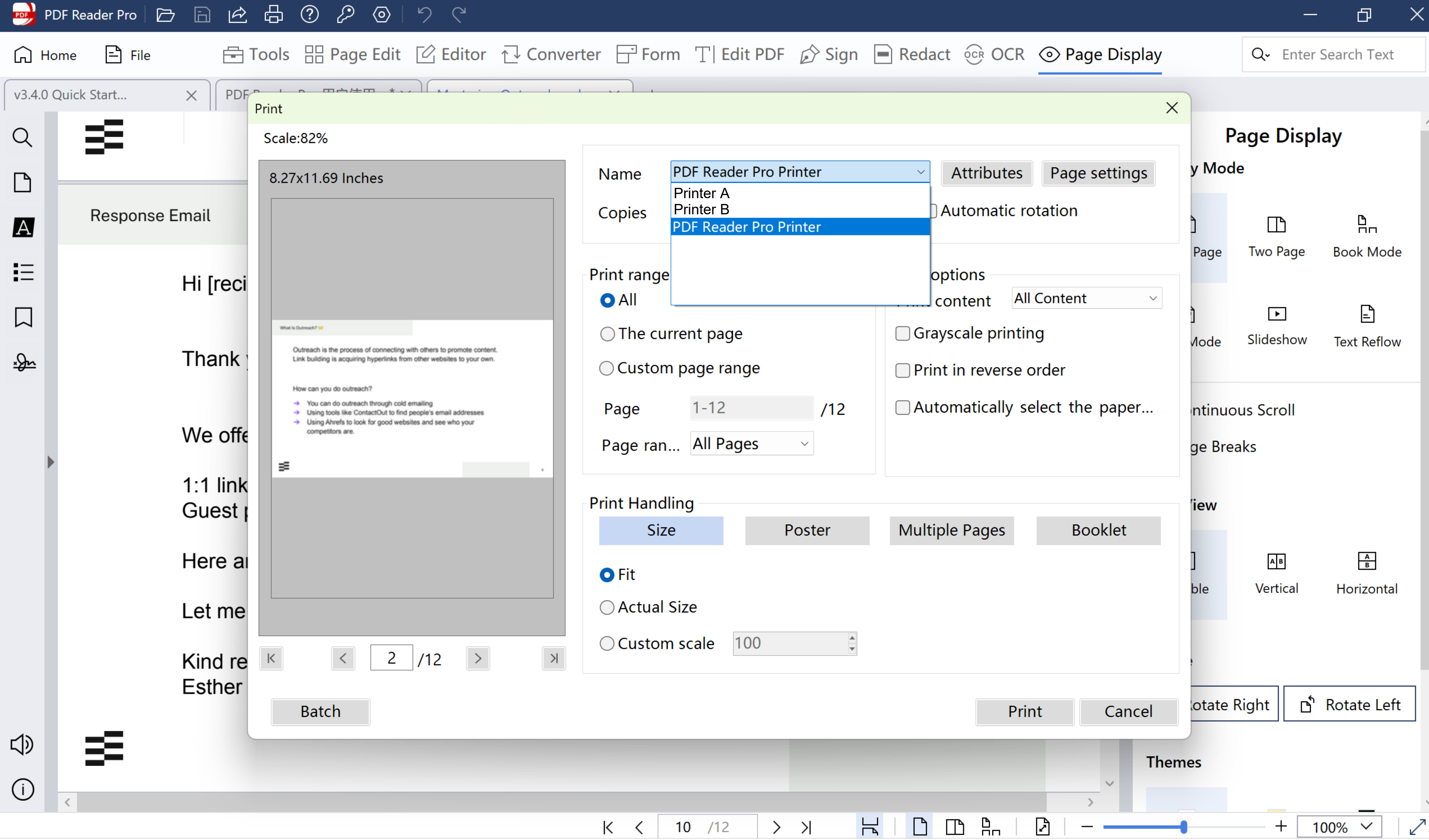
2) In Windows: Find Printers and Scanners in Settings, and go to the Printers list, set PDF Reader Pro Printer as Printer Preferences;
3) Device Manager: find the printer queue, and select PDF Reader Pro Printer.
Download to get a 7-day free trial now, and click PDF Reader Pro to learn more advanced features!


