

PDF naturally doesn't allow you to edit or insert an image. So is there a way to insert an image to your PDF? Yes, there is. With PDF Reader Pro, you can easily insert an image to PDF. Follow the instructions below to insert an image.
1. Open your file with PDF Reader Pro;
2. Click Tools on the toolbar -> Select Image;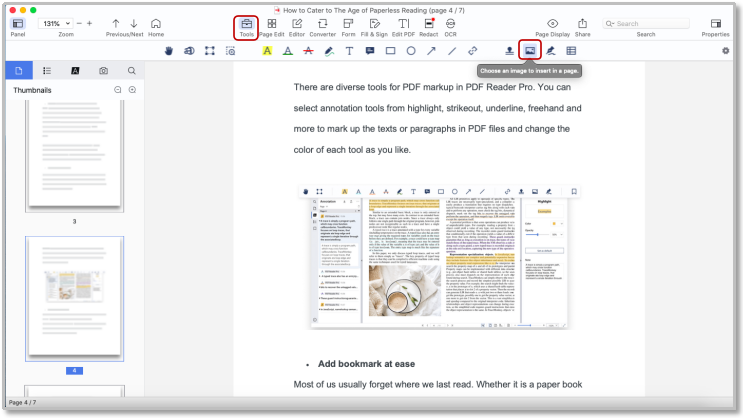
3. Choose the image you need from your PC;
4. Click Open;
Click download to get a 7-day free trial now! Click PDF Reader Pro to know more advanced features. If you have any question, feel free to contact us at support@pdfreaderpro.com.


