

We’ve all been there—you receive a scanned document or a photo of a contract and realize you can’t even highlight the text, let alone change it. With our upgraded OCR technology, you can turn those "static" images into fully flexible, editable documents in seconds.
Here are detailed steps:
1. Open Your Document: Open any scanned file with PDF Reader Pro. The software will automatically detect the scanned nature of the document and prompt the specialized scanning toolkit.
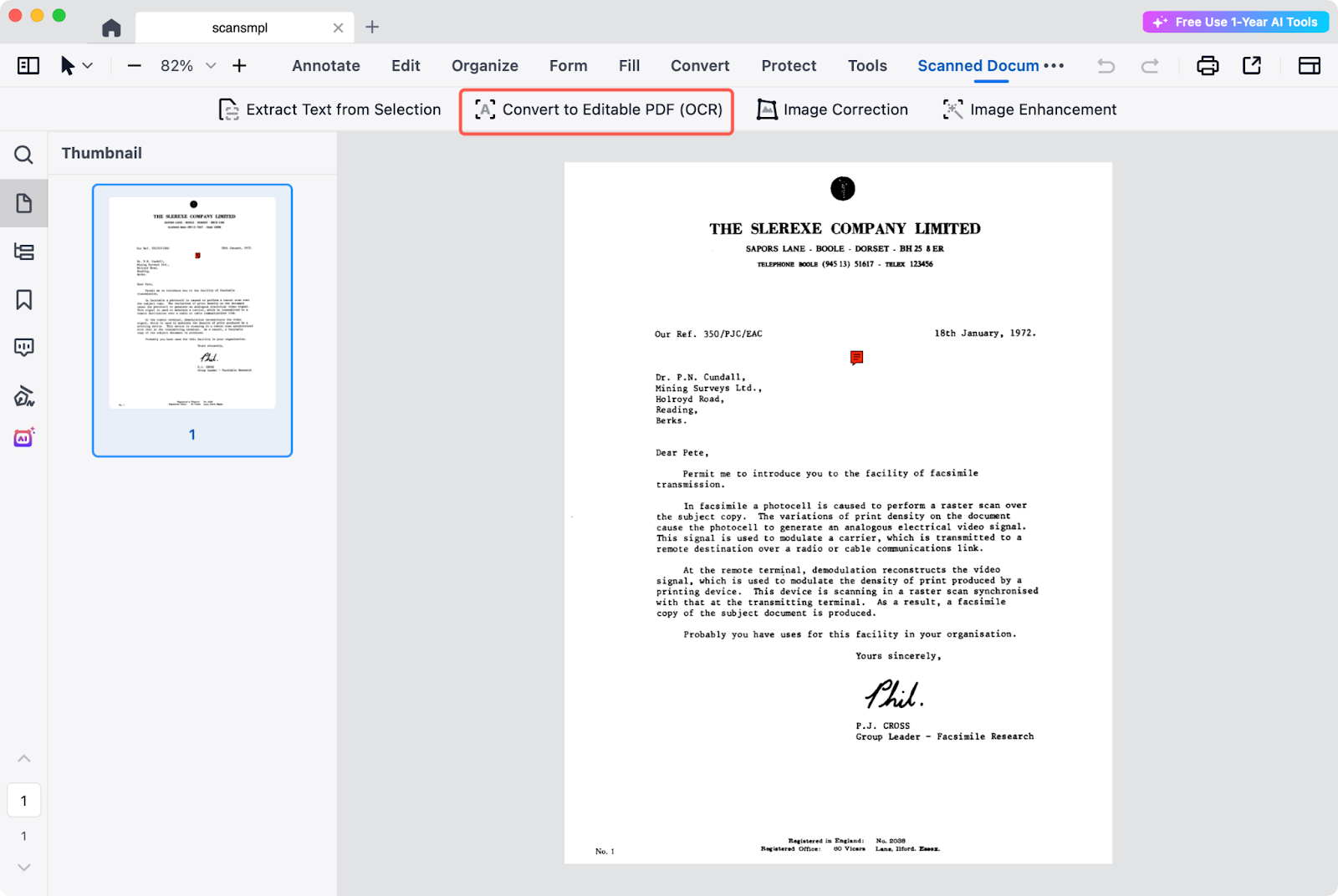
2. Configure Conversion Settings: Click Convert to Editable PDF. In the configuration window, select your document's language (supporting over 116 languages), specify the page range, and choose your preferred output format (PDF or TXT).
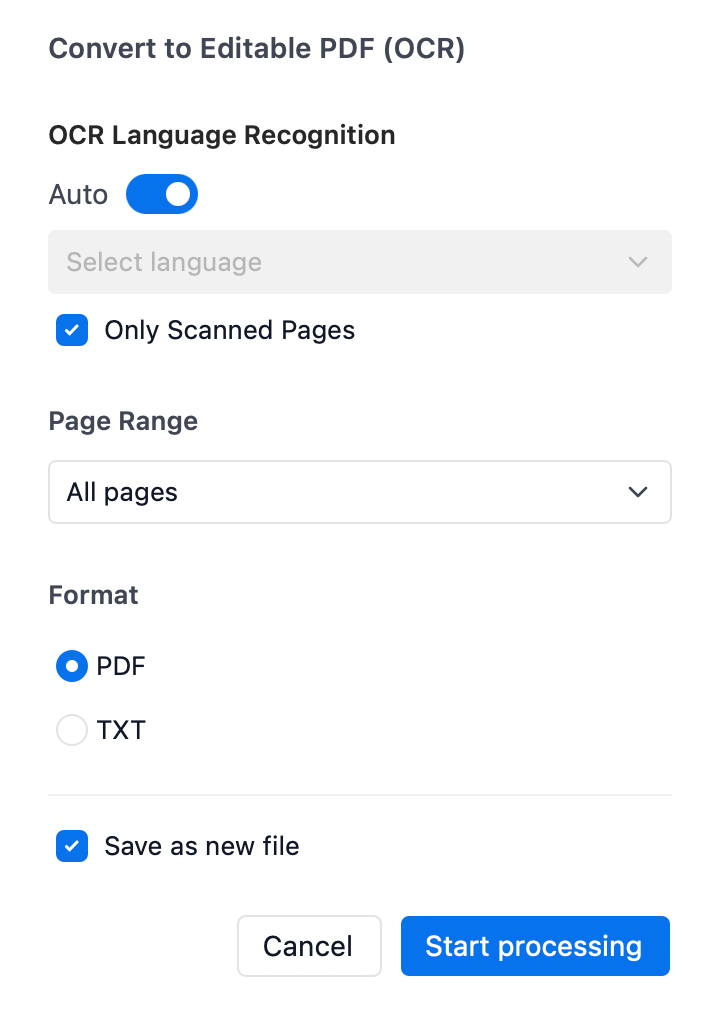
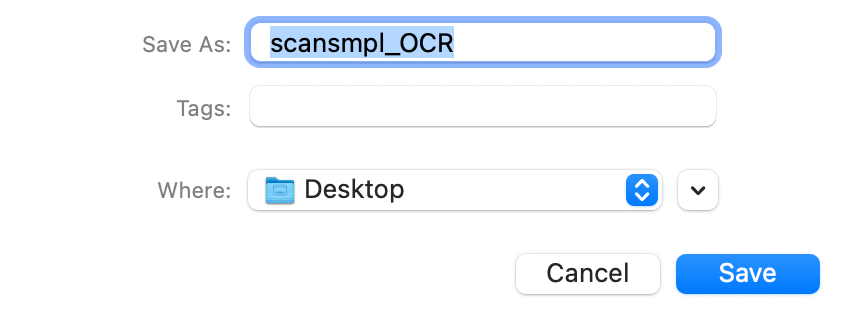
3. Process and Save: Click Start Processing, choose your destination folder, and click Save to generate your new, fully editable file.
Ready to digitize your workflow? Download PDF Reader Pro and start your free trial today to experience industry-leading OCR technology now!


