

Have you ever been in a hurry and snap a photo of a document, only to find the edges are tilted, or the perspective is all wrong? Instead of heading back to the scanner, you can now professionally "straighten" your scans with our intuitive Image Correction tool.
How to do it:
1. Open and Detect: Open your scanned file in PDF Reader Pro. The app will automatically recognize it’s a scan and bring up the specialized scanning toolkit.
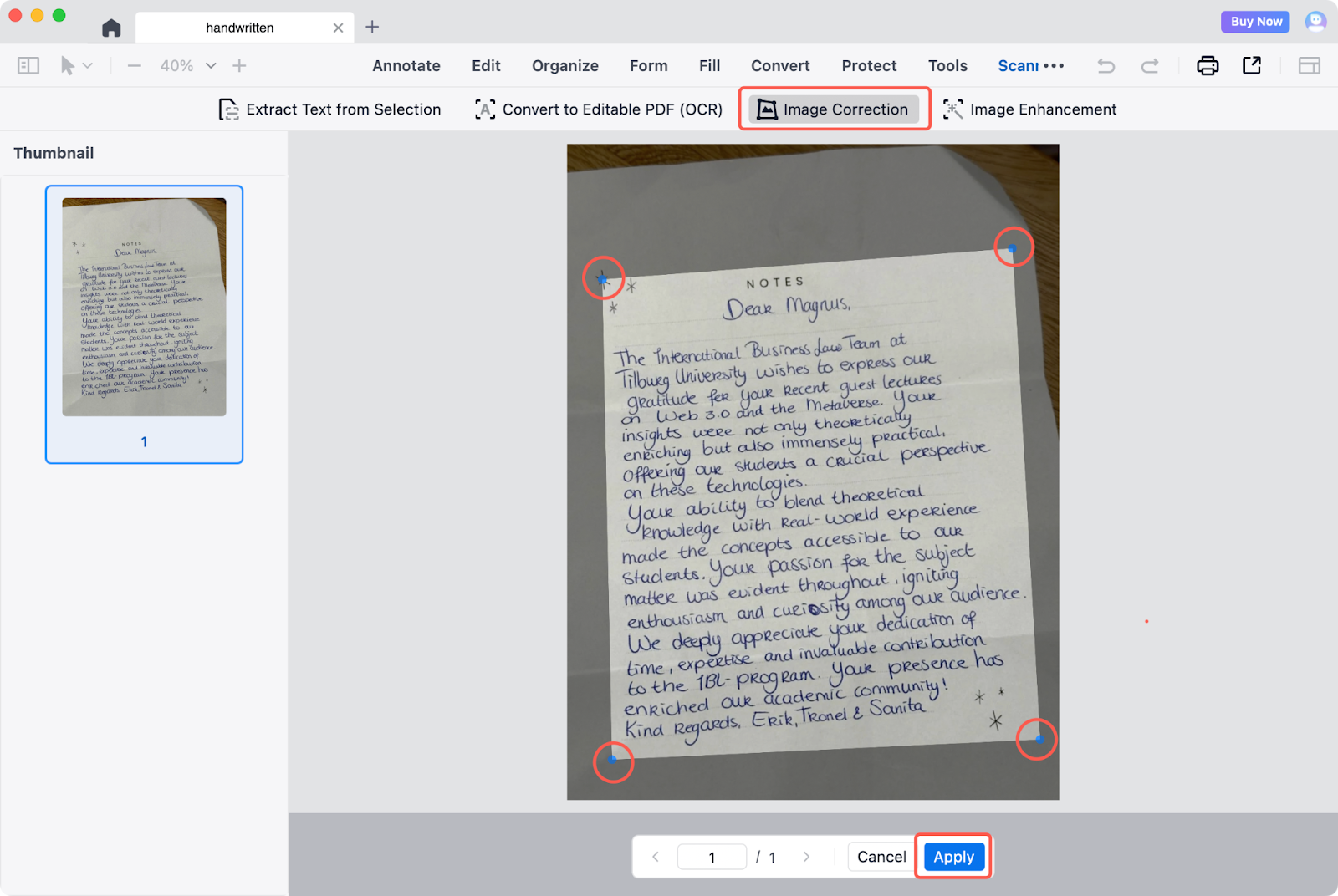
2. Define Your Edges: Click Image Correction. You’ll see adjustable corner points appear on your document—simply click and drag them to align with the actual corners of your page.
3. Apply and Perfect: Once you’ve framed the area you want to keep, click Apply. The app will instantly flatten the perspective and crop out the messy background, giving you a perfectly rectangular, professional-looking PDF.
Make every scan look like it came from a professional office scanner. Download PDF Reader Pro and start your free trial today to experience industry-leading OCR technology now!


