

Whether you’re dealing with a low-light photo or a faded scan, you don’t have to settle for a messy file. Our Image Enhancement tool acts like a professional studio filter, instantly stripping away background noise and making the text pop.
How to do it:
1. Open and Detect: Simply open your scanned file in PDF Reader Pro. The app will automatically recognize it as a scan and bring up the specialized scanning toolkit for you.
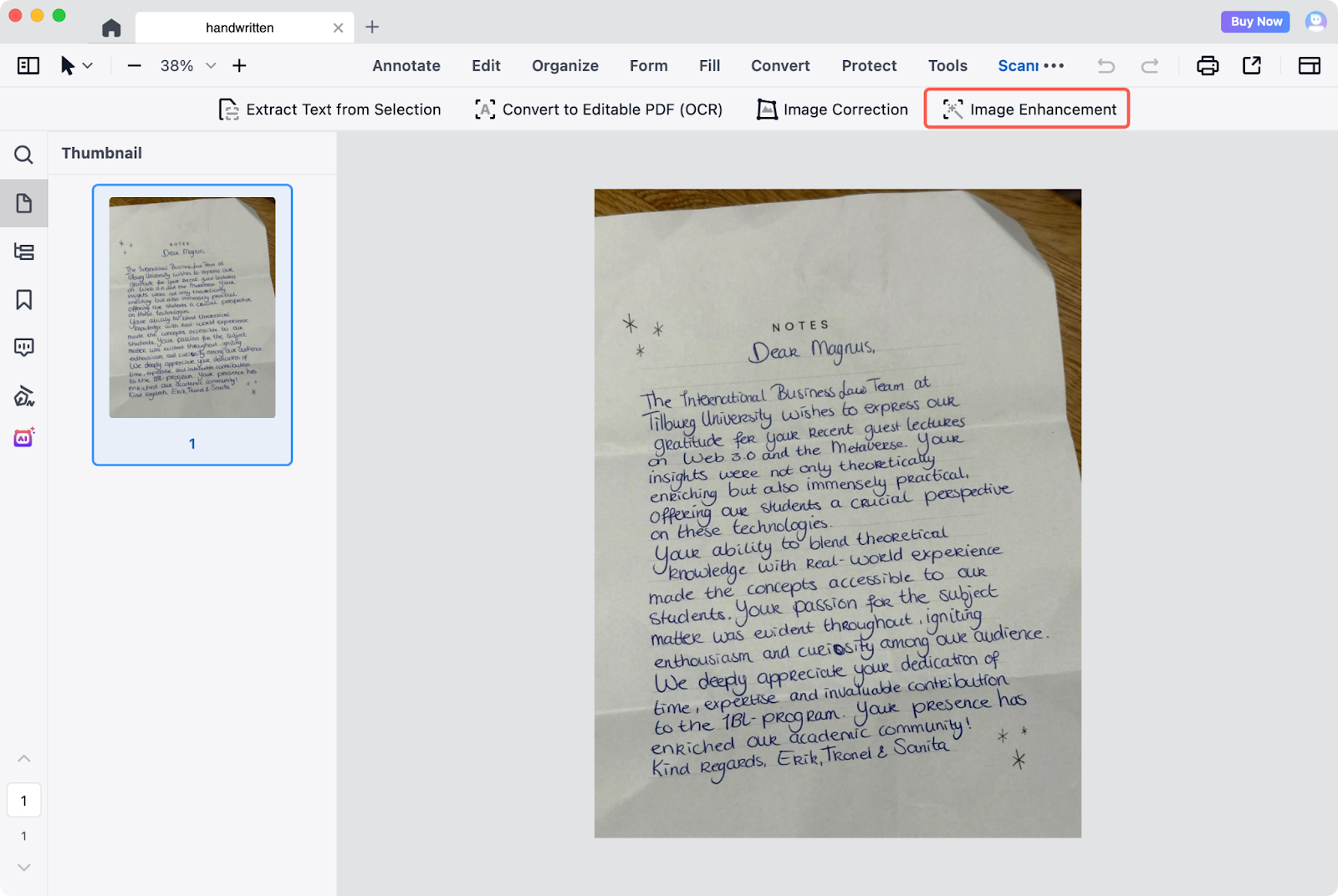
2. The One-Click Fix: Click Image Enhancement. There’s no need for complex manual adjustments; PDF Reader Pro will immediately analyze the file and apply optimized settings to sharpen the text.
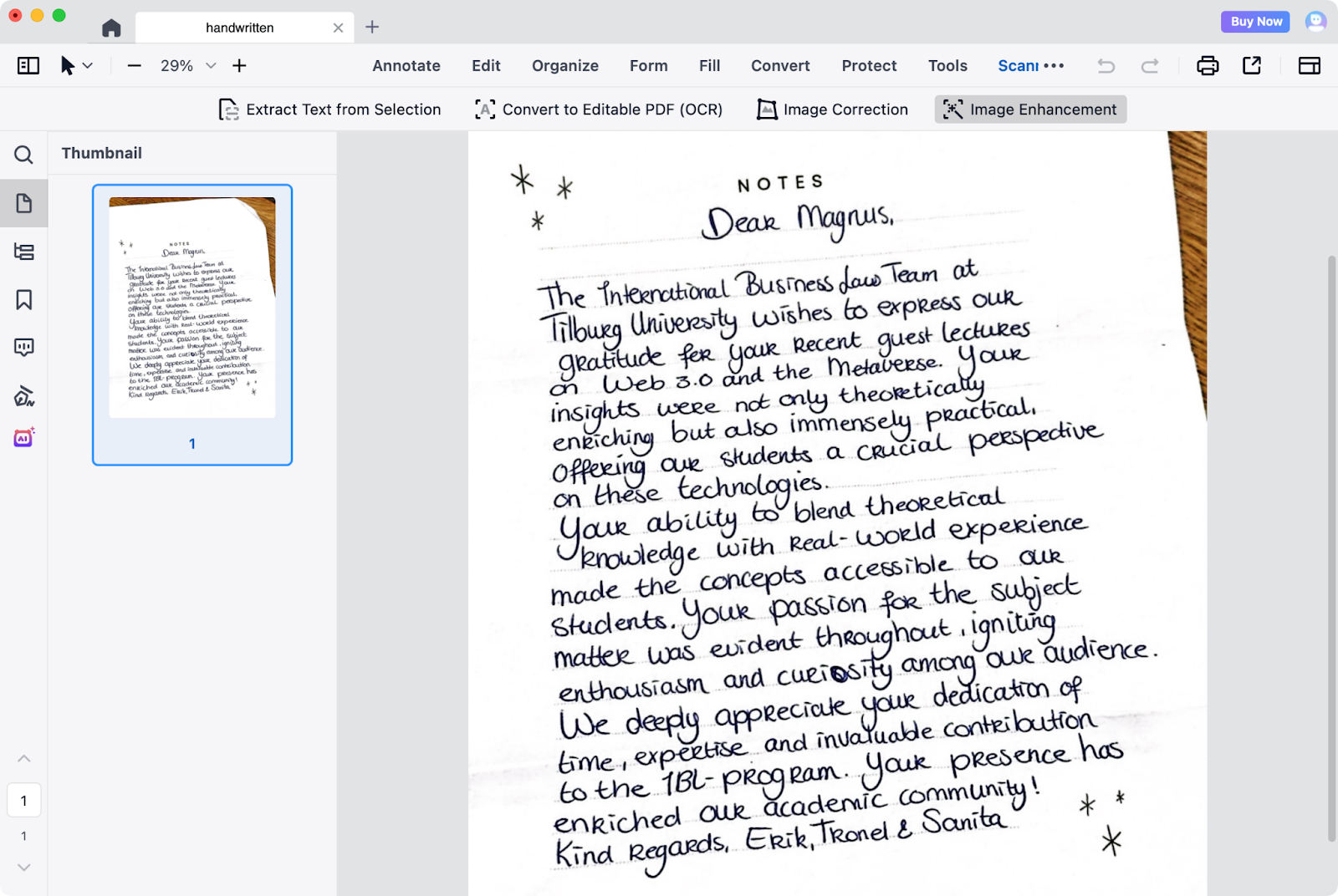
3. Instant Result: Within seconds, you'll see a noticeably cleaner, high-contrast version of your document that's much easier to read, print, or share.
Don't settle for poor-quality scans. Download PDF Reader Pro and start your free trial today to experience industry-leading OCR technology now!


