

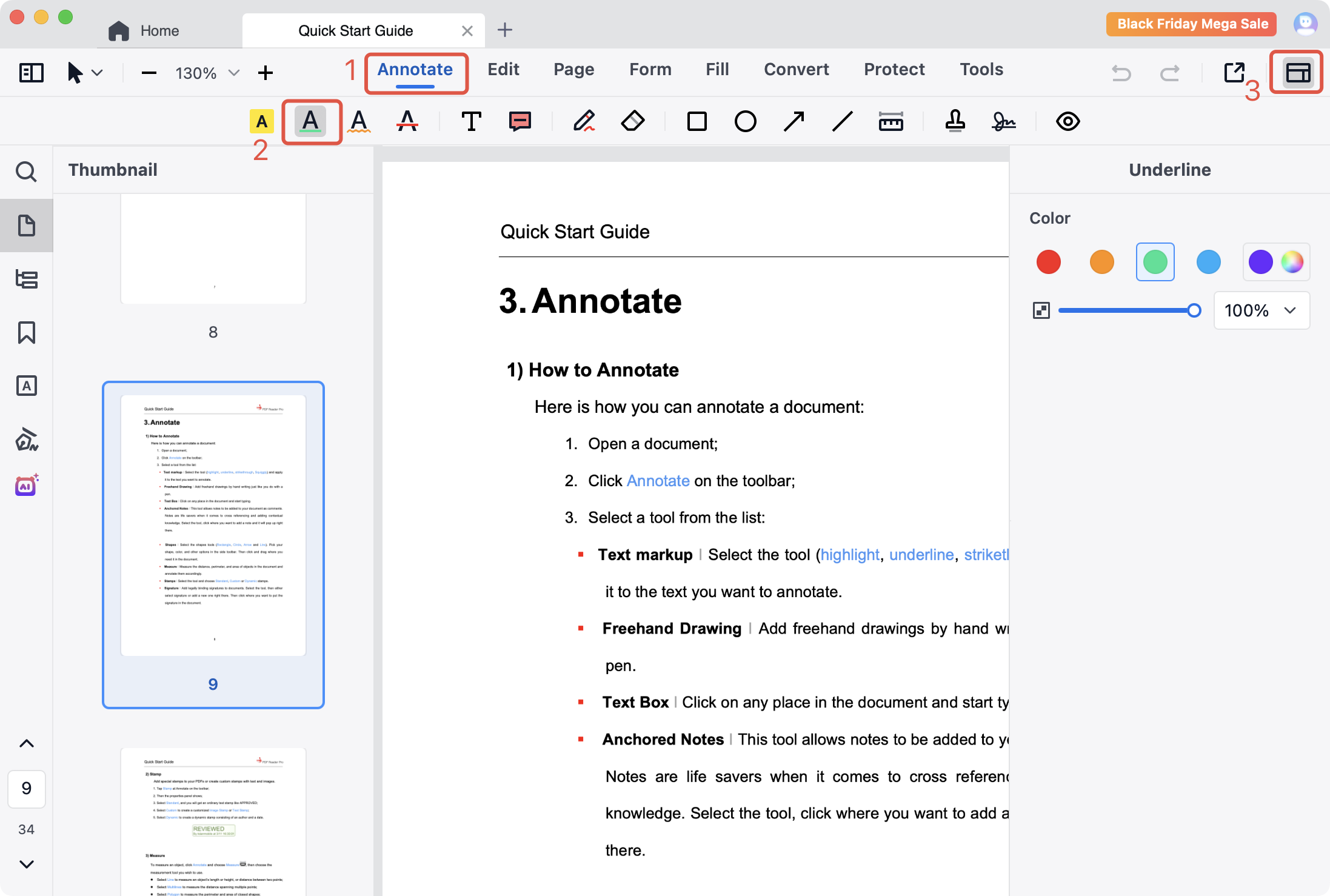
You can modify the properties of the annotation on the Annotation Properties Panel. And the Annotation Properties Panel can be displayed or hidden. Here's how to open and close it:
1. Click Annotete on the toolbar and choose any annotation tool that you want to use;
2. The Annotation Properties Panel is hidden by default. Click Properties  on the top right corner to open or close it.
PDF Reader Pro is a powerful PDF editor, which offers you various annotation tools such as highlight, underline, strikethrough, squiggly, freehand, etc. Download to get a 7-day free trial now! Click PDF Reader Pro to know more advanced features!


 Support Chat
  PDF Reader Pro