

PDF Reader Pro has several ways to open PDFs:
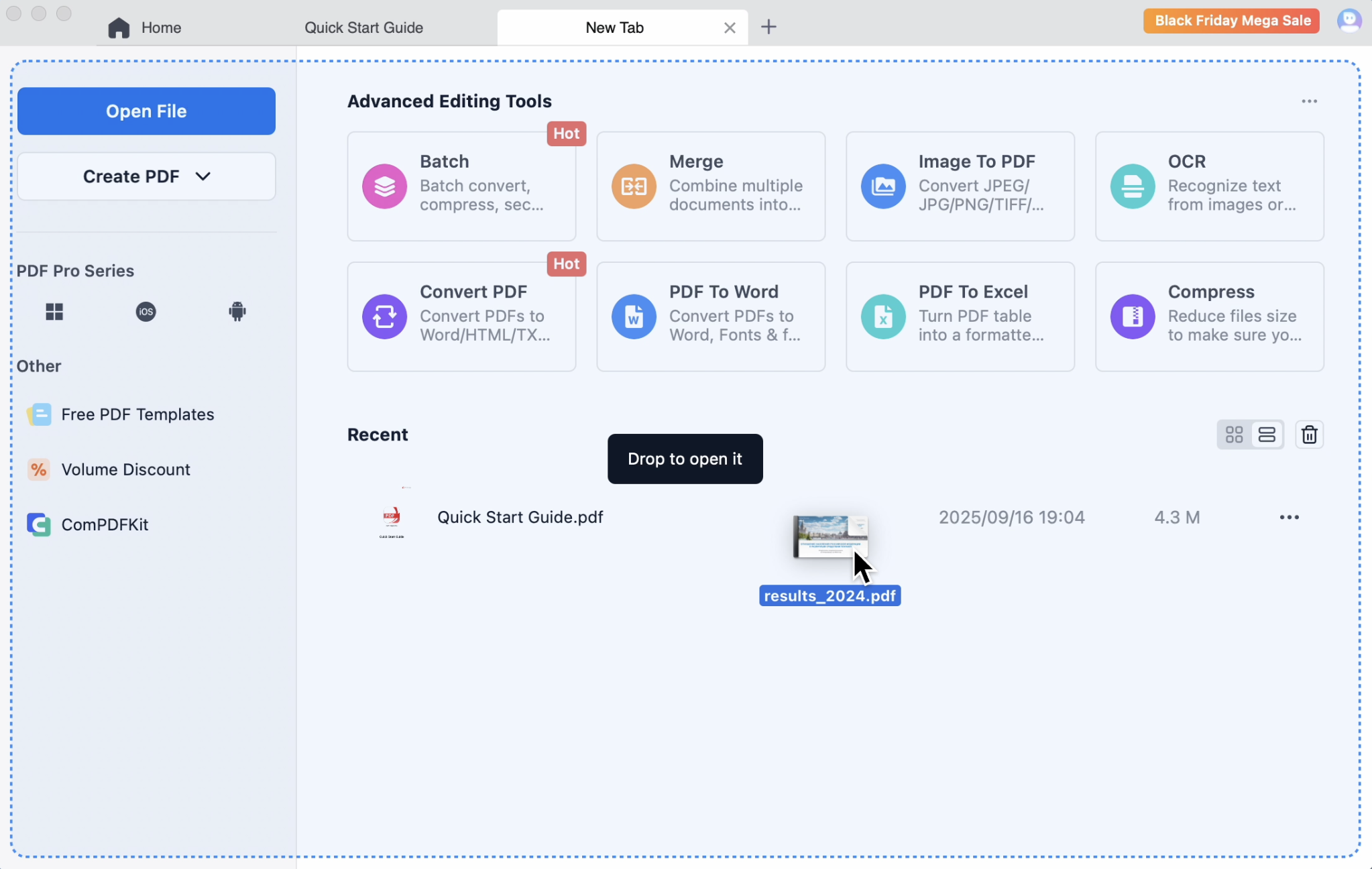
Method 1: Drag and drop
On a New tab screen, drag-and-drop any PDF file from folder to the highlighted area.
Method 2: Open a PDF from Home Page
1. launch PDF Reader Pro and click Open File on the upper left corner -> choose a file and click Open;
2. Or launch PDF Reader Pro and choose a recent file -> double touch to Open.
Method 3: Open a PDF from Reading Page
Choose + on the top, then choose a file to open;

Method 4: Open a PDF from Folder Directly
Right-click the thumbnail of a PDF file -> choose Open With -> select PDF Reader Pro;
Note: To save your valuable time, you can set PDF Reader Pro as a default viewer, so that you can open your file directly by double-clicking the PDF file icon.


 Support Chat
  PDF Reader Pro