

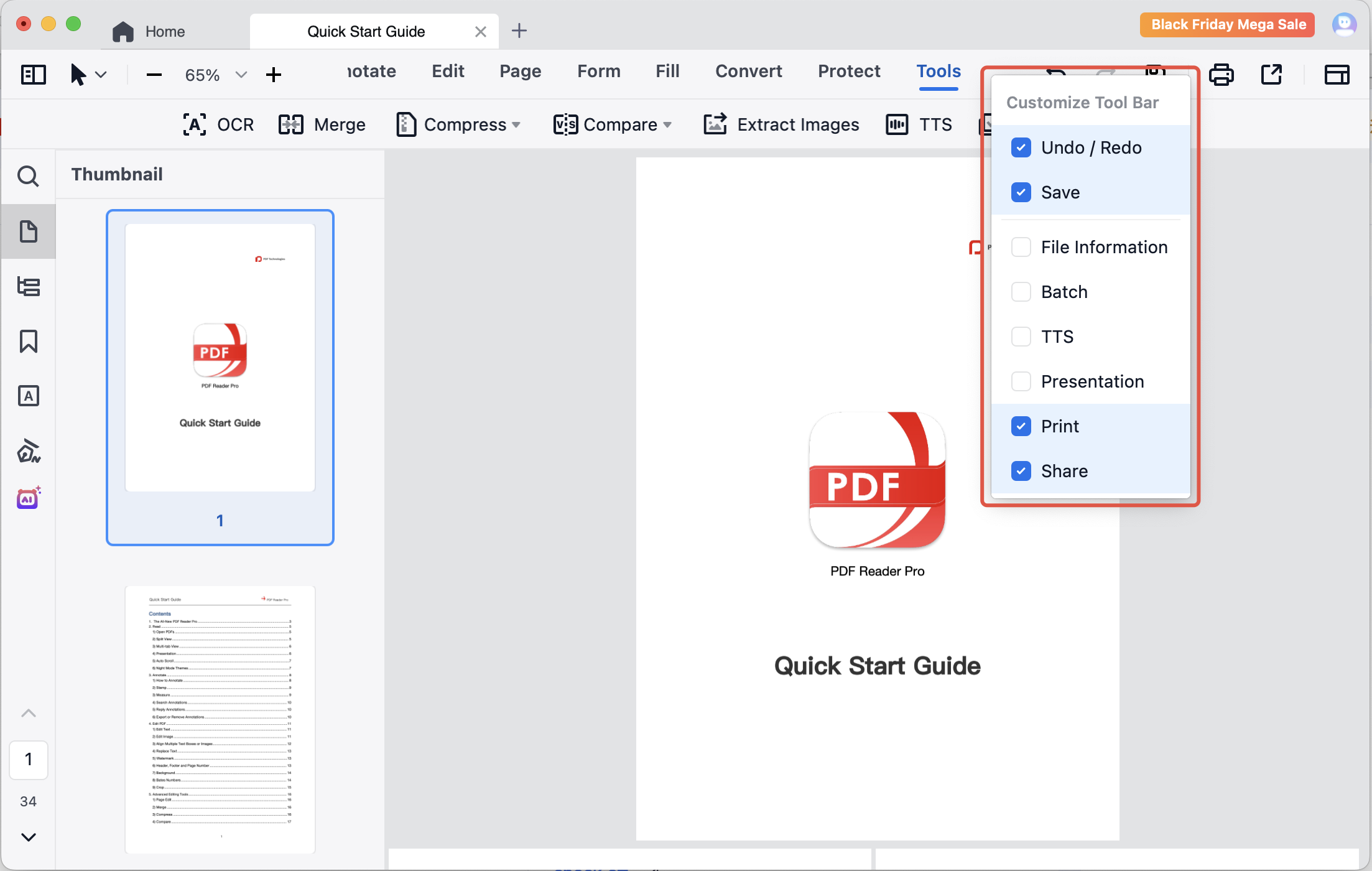
PDF Reader Pro allows you to customize the toolbar according to your needs. Here's how:
1. Right-click at the blank area of the toolbar within the PDF;
2. Tick the tools that you want to dispaly on the toolbar.
Download PDF Reader Pro for free to enjoy a smoother PDF reading and editing experience now!


 Support Chat
  PDF Reader Pro