
These days, you can effortlessly convert plain text files into PDFs (Portable Document Format) with the help of online text-to-PDF converters. Whether it is a blog draft, a report, or any other piece of writing, these tools will help you create clean and professional-looking PDF files.
However, not all the TXT to PDF tools provide the expected results. Some may lack formatting options, others may compromise on conversion quality. That’s why finding accurate and easier-to-use tools for your daily tasks can be a bit tricky. To solve this challenge, our team researched a lot and found some useful online tools that you can consider.
In this blog, we are going to explore three handy online tools, i.e., PDF Reader Pro, Prepostseo, and OCR.best. Here, we’ll discuss how each tool works (with a practical demonstration) and what makes them stand out, and the pros and cons of using each one. If you work with PDF files frequently, download and get an offline PDF editor:
 Free Download
  Free Download
Why Convert Text to PDF?
Before moving into the details of Text to PDF tools, let’s first understand why converting Text files into PDFs is needed.
- PDF files are universally compatible, so you can open them on any device and operating system.
- Unlike Docx or TXT files, PDFs make sure that your content (whether images, tables, or text) looks the same everywhere. Hence, actual formatting is always preserved.
- PDF files are compressed and easier to share.
- You can secure PDFs using passwords and protect your sensitive information.
- Additionally, the PDF format is ideal for printing.
Now, let’s get into the details of our top-chosen TXT file to PDF converters.
1. PDF Reader Pro: Online Text to PDF tool
Click to Visit: https://www.pdfreaderpro.com/online-tools/txt-to-pdf
PDF Reader Pro is a popular name in the PDF world. While it offers a wide range of PDF-related converter tools, its online Text to PDF tool is worth mentioning. This tool lets users automatically turn plain TXT files into professionally formatted PDFs. It does not require any installation or downloading.
One of the standout features of the tool is its simple interface that even newcomers can easily navigate. There is no need to have any prior experience or to pass a special learning curve.
How to Use?
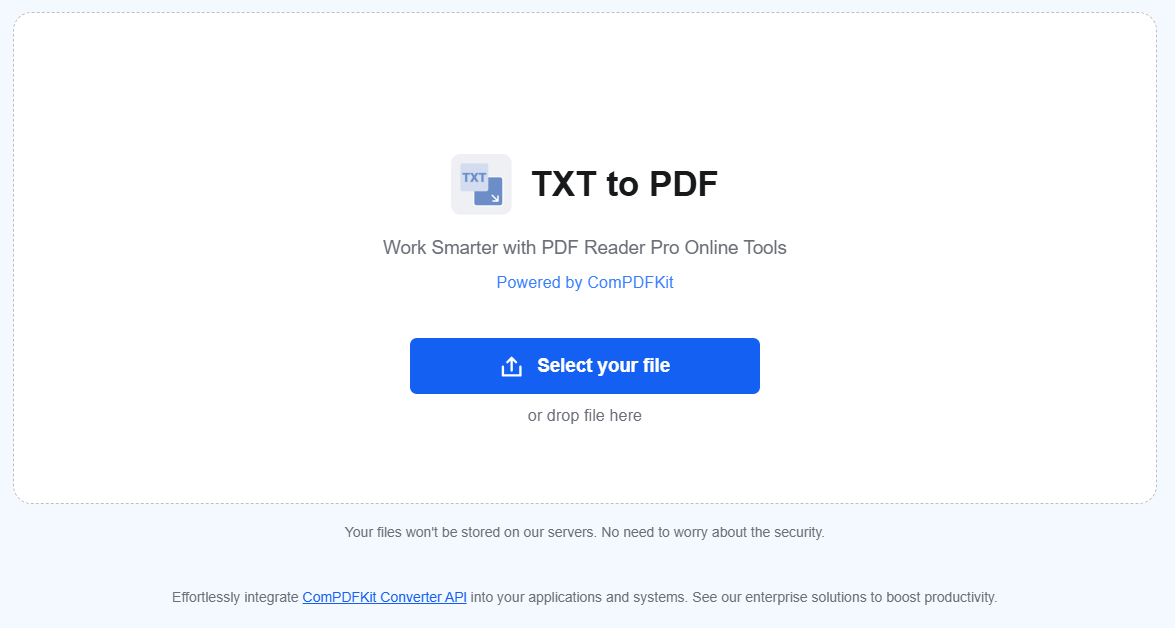
To use this TXT to PDF converting tool, you just need to upload the plain text file from your device storage. Once you upload, the tool will start conversion in real-time, and within a few seconds, you’ll get the result. Now, click the “Download File” button to save your converted PDF file.
The Below Image Shows the working of the tool:
Pros:
- Simple interface that is easier to understand.
- Downloadable PDF files.
- Integrated with multiple other PDF-related tools.
- Delivers a professional-looking output.
Cons:
- Allows a single file to convert at a time.
2. Prepostseo: Text to PDF Converter
Click to Visit: https://www.prepostseo.com/text-to-pdf
Prepostseo (a well-known toolkit) offers a fast and precise text-to-PDF converter tool. It comes up with text editing options as well that let you make necessary changes in the text before conversion. You can change the layout, add bullets, create number lists, use headings (H1, H2, and so on…), or underline something. Plus, it allows you to either paste your plain text directly or upload the TXT file.
Here’s How It Works
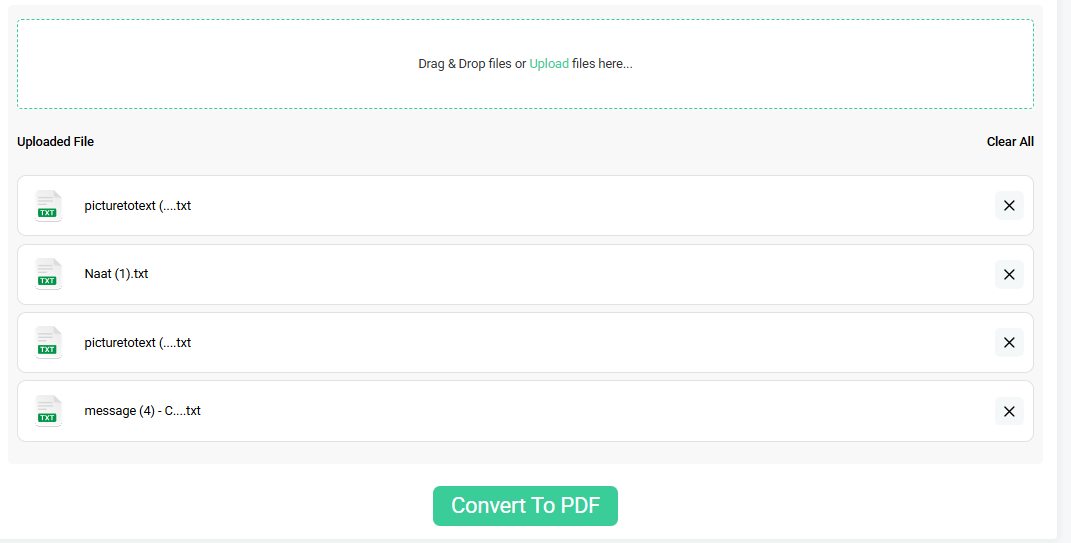
Just paste or upload your text into Prepostseo’s text-to-PDF converter, make necessary changes, and press the “Convert to PDF” button. The tool will instantly provide you with PDF files in the output. To access the result, you can either download them separately or in a “Zip” file.
Pictorial Demo:
Pros:
- Works fast to convert even larger files in seconds.
- Allows you to simultaneously convert multiple files.
- Offers editing options to make edits before conversion.
- Doesn’t lose the actual formatting of text during conversion.
- Ensures your files are secure.
Cons:
- It shows ads that may sometimes distract users.
3. ORC.best: Text to PDF Tool
Click to Visit: https://www.ocr.best/text-to-pdf
OCR.best is a platform primarily known for its OCR (Optical Character Recognition) tools; however, it offers an efficient text-to-PDF converter. If you’re searching for a reliable TXT to PDF conversion without compromising the actual text formatting, then this tool is another handy option for you.
The standout feature of the text-to-PDF converter is its capability to preserve the original layout of your text. It is especially useful for structured files such as formatted lists, notes, code snippets, etc.
How to Use?
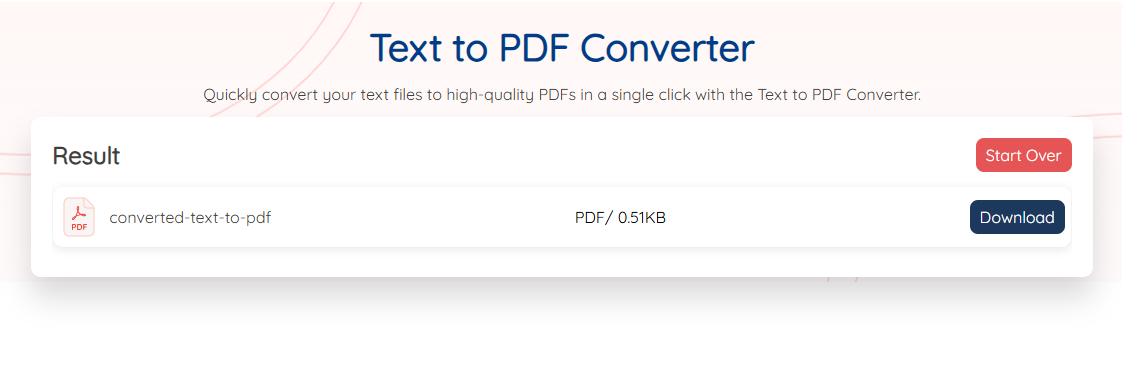
Its usage process is straightforward. You just need to upload or paste text into the tool and hit the “Convert” button. It will complete the conversion in no time. Finally, you can save the converted PDFs to your device by using the “Download” option.
Here’s the Demonstration:
Pros:
- Free and unlimited to use.
- Preserves the actual structures of the text.
- Let users make necessary edits in the input.
- Access from anywhere and anytime.
- Doesn’t require any software downloading and installation.
Cons:
- Converts only one text file at a time.
Conclusion
Converting your plain text files into PDF (Portable Document Format) is now much easier than ever, thanks to Text to PDF converter tools. In this blog post, we’ve highlighted some handy tools offered by PDFReader Pro, Prepostseo, and OCR.best. Using these tools will help you in faster conversion, maintaining layouts, and reaching maximum accuracy during conversion. Try any of the above-mentioned tools that fit best to your needs, and get your TXT files converted into PDFs in a few clicks.



 Support Chat
  PDF Reader Pro