

Sometimes, when you open a PDF file and scroll to the edge of a page, it automatically jumps to the next page. This may make you feel a little inconvenient when you want to view more information on two or more pages at the same time.
Now, you can use the continuous scroll tool on PDF Reader Pro to scroll continuously between pages to read more information, making the scrolling experience smoother.
There are three methods to use the continuous scroll tool, you can refer to the following steps:
Method 1:
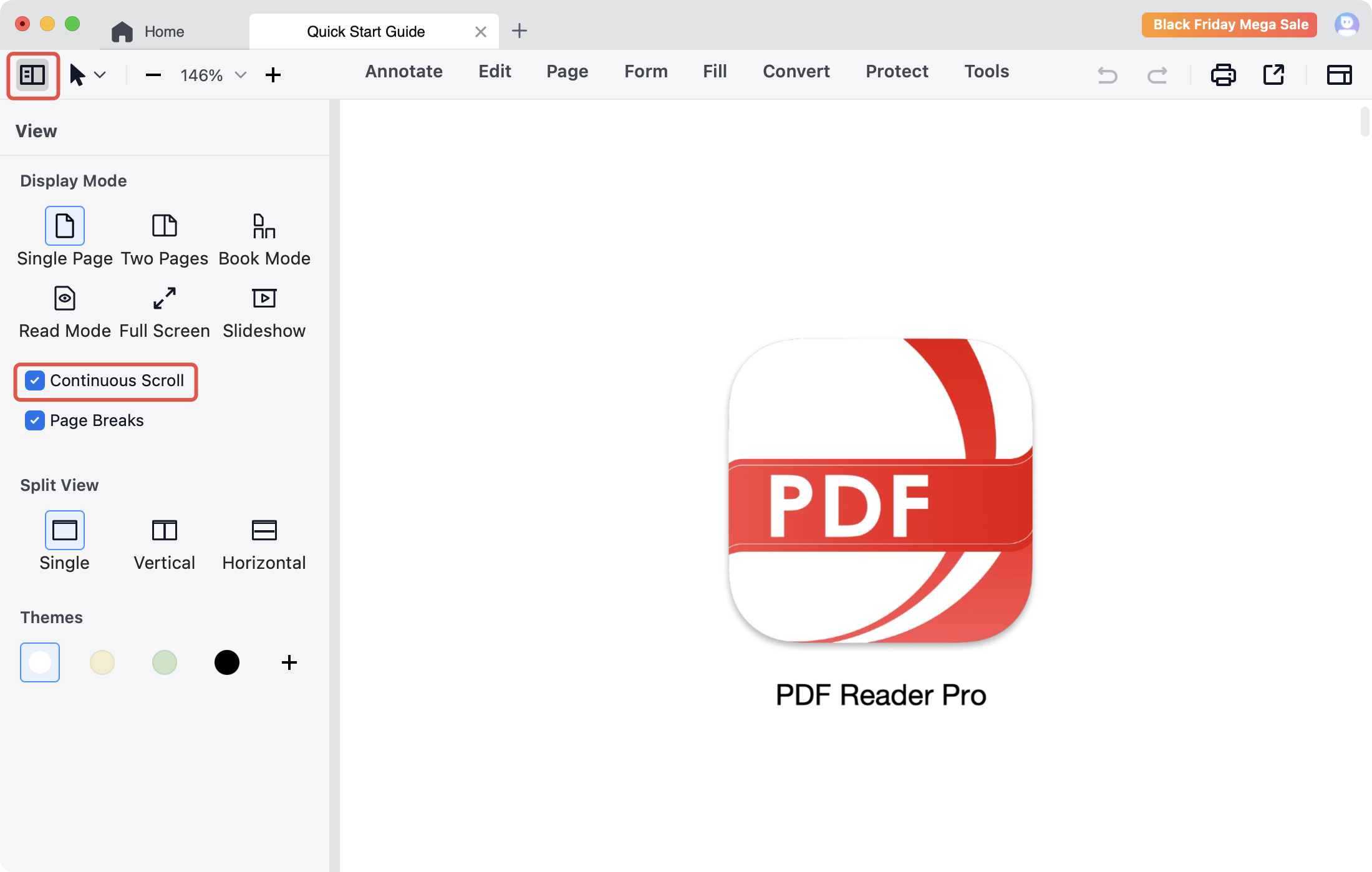
1. Click Page Display  on the toolbar;
2. Tick Continuous Scroll.
Method 2:
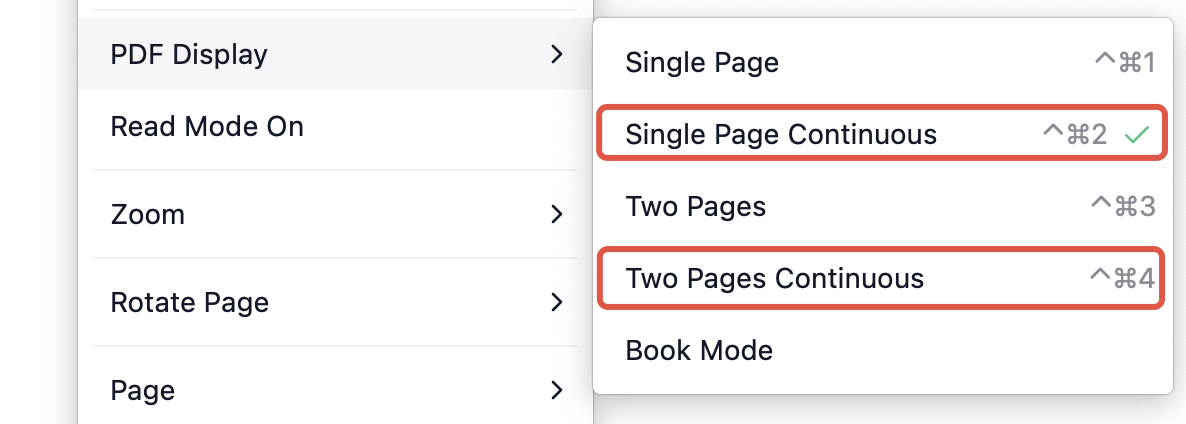
1. Right-click anywhere on the PDF;
2. Choose PDF Display -> Single Page Continuous or Two Pages Continuous.
If you are interested in this continuous scroll tool but haven't used it yet, come to download PDF Reader Pro to experience it now!


 Support Chat
  PDF Reader Pro