


Splitting a PDF allows you to divide a large document into smaller, more manageable files. Follow the steps below to split a PDF using different methods in PDF Reader Pro.
1. Launch PDF Reader Pro and open a PDF file.
2. Click Page in the top toolbar and select the page or pages you want to split.
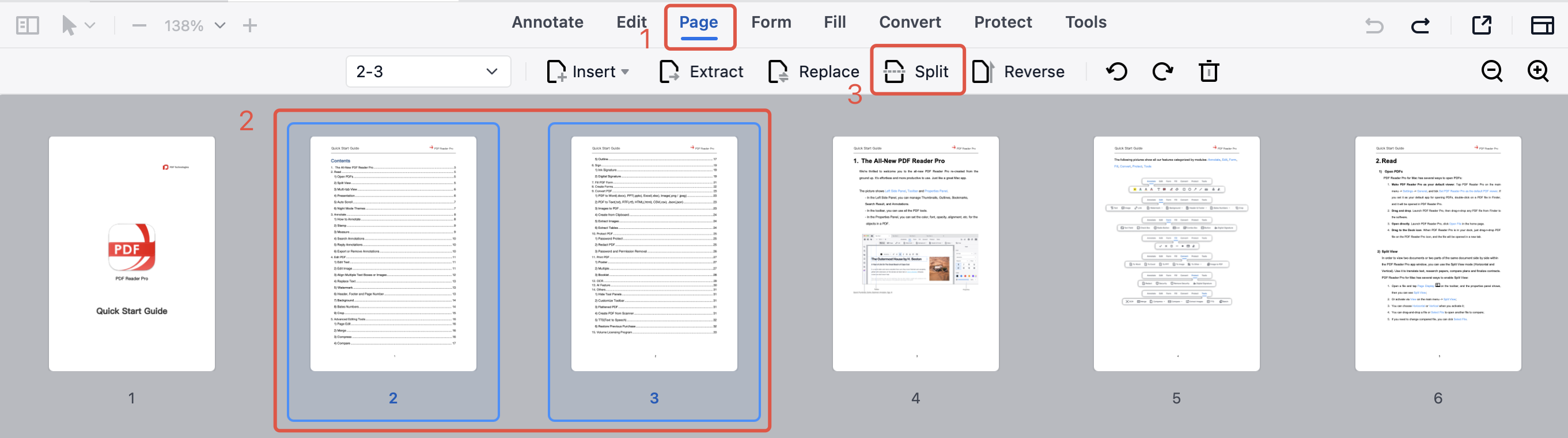
3. In the pop-up window, choose a Split Method:
- Split by every X page(s)
- Split evenly into X PDF files
- Split by page range
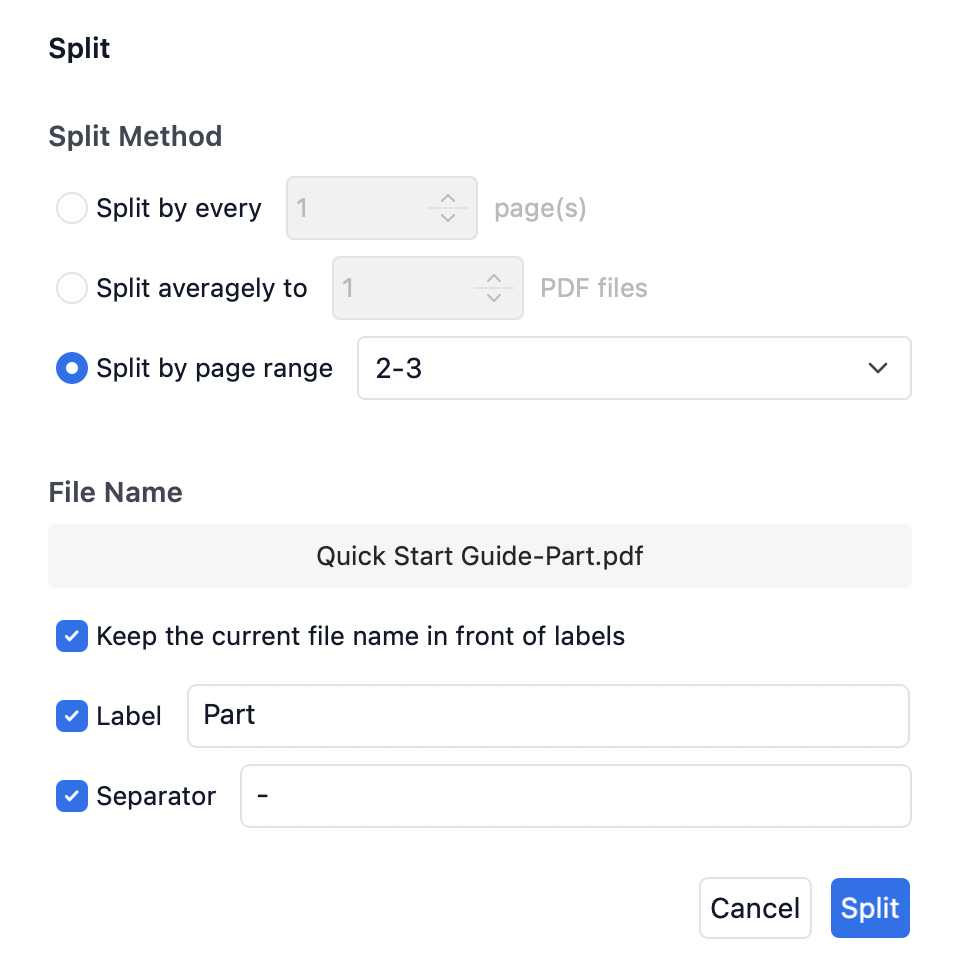
4. Set the file name for the split PDFs, click Split, choose a save location, and click Save to complete the process.
Break large PDFs into smaller files with ease — download PDF Reader Pro and start splitting PDFs today!


 Support Chat
  PDF Reader Pro