

Highlight means that the background of the text presents a certain color, which plays the role of emphasizing the text. When reading a PDF document, you may want to emphasize some sentences of interest or useful information. The highlight tool in PDF Reader Pro can fully meet your needs so that you can keep track of what is important.
There are two methods to highlight PDF sentences, you can refer to the following steps:
Method 1: From Toolbar
1. Click Annotate on the toolbar -> choose Highlight  ;
;

2. Select the sentences, the content will be highlighted directly.
3. Click on the highlight area, then you can adjust the color of the highlight from the floating bar.
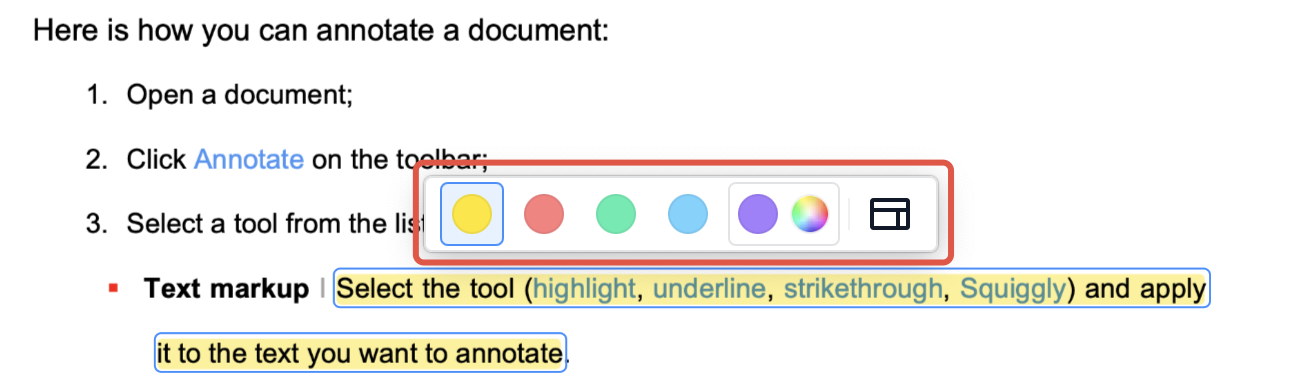
Or click to activate the properties panel. you can change Color and Opacity here;

Method 2: From Right-click to Highlight Sentences
1. Select the sentences, then right-click;
2. Choose Highlight.

Download PDF Reader Pro to take advantage of all the handy annotation tools!


 Support Chat
  PDF Reader Pro