

With PDF Reader Pro, you can import different annotations to the same PDF documents. Here's how:
1. Launch PDF Reader Pro, and tap Annotation in the left panel;
2. Click Import Annotations;
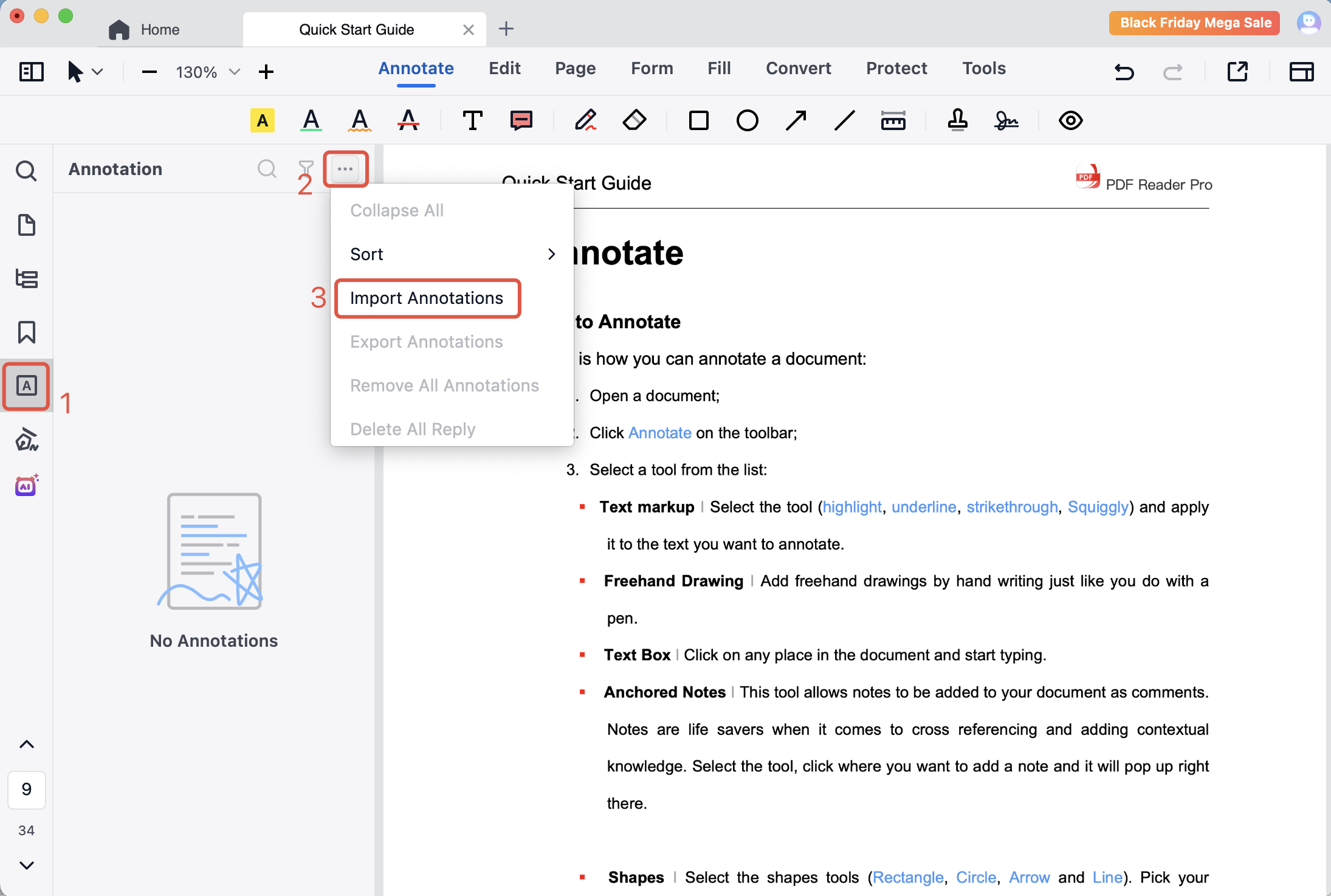
3. Select the annotation file you need and hit Open. You can import annotations from an XFDF file.
Download to get a 7-day free trial now! Click PDF Reader Pro to know more advanced features!


 Support Chat
  PDF Reader Pro